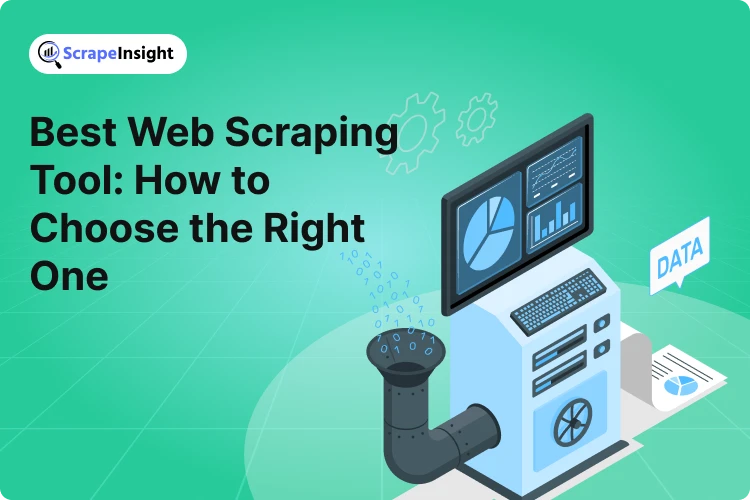
Knowing the multiple use cases of data scraping popular at present, the increase in the number of tools is no surprise. Individuals and businesses have begun to opt for tools that would be the most convenient for them. They assess various factors before making this decision.
Those proficient in concerned programming languages resort to making their own web scrapers using libraries or frameworks. While the ones with limited or no technical expertise, rely on tools that allow them to scrap the web with minimal to no coding required. Another option available is to employ someone for your data or web scraping requirements.
Data scraping or web scraping is a convenient and cost-efficient method to gather business intelligence data when used in compliance with the regulations. To serve your purpose efficiently, you need to assess the variety of tools available at your disposal.
Features to Check Before Selecting the Best Tool
Before we begin to list out some of the best and most efficient tools out there to assist in your endeavor, it is important to make note of the factors based on which you can compare before coming to a decision.
Several tools offer similar features but at varying prices and some require a better grasp on technology and programming languages than others. You should check all the features available and the services a tool can provide to ascertain whether or not it will be fit for your purpose.
Listed below are some of the best tools to use for data scraping that can help you conduct data scraping at scale with automation, providing real-time, updated, and accurate data to make informed business decisions.
Best Tools for Data Scraping
RTILA
RTILA is an extremely powerful tool, standing at the forefront of data scraping and web automation for businesses. It is an empowering data application for agencies and web professionals, offering a robust platform that grows with your needs. It allows you to build your own RPA and Web Automation Flows to deploy them as your own software, Saas, or DataSet. This is a game-changer in the world of data scraping, transforming how you interact with data on the web. Visit Website
Key Features:
- Scraping Powered by AI – Point and click on the data fields you require and let the filter options in the selector panel guide you further.
- Manipulate Data with Automation – Link the results of a given automation to another automation flow which will take care of enriching, correcting, and standardizing your data.
- Monetize Data and Processes – Give financial value to your data by deploying sales and marketing automation.
Use Cases:
- Data Mining – Crawl, paginate, and extract data from any website.
- Monitor Data – Monitor competitor’s prices, pages, or any content online and trigger associated flows.
- Enrich Data – Find concerned data like contact details and social media profiles using API. Format, verify, and manipulate data on the go.
Price:
RTILA offers lifetime access to its application with a one-time payment starting from $125. It has three subscription plans namely Business, Agency, and Enterprise. The subscription for the Business plan costs $9 per month on one device.
Content Grabber
Content Grabber is a web-crawling software suitable for advanced extraction. Users can customize the interface and manage the data extraction workflow by writing commands for the agent. You can scrape almost any website using Content Grabber and save the content in structured formats like Excel reports, XML, CSV, and databases. You can visit this guide to understand how to scrap data using Content Grabber.
Key Features:
- Visual Browsing – You can visually browse websites and select the data elements that you need, in the required order.
- Automatic Action Determination – The macro feature in the content grabber records the user’s actions while interacting with the browser.
- Scheduling the Scraping Sessions – The software allows you to schedule scraping according to your preferences, be it monthly, weekly, daily, hourly, and so on.
Use Cases:
- Data Extraction – Content Grabber can extract data from highly dynamic or AJAX-enabled websites.
- Extract Different File Types – Its native browser allows for the selection and extraction of specific data. You can also extract documents, images, and IP addresses.
- Disparate Data Collection – You can extract data from different types of websites (like e-commerce, social media, news, etc.), databases, and files in different formats.
Price:
You must buy a license or a monthly subscription to use Content Grabber. There are three different monthly plans namely service, professional, and premium. The starting subscription costs $69.
Scrapy
Scrapy, written in Python, is an open-source framework for web crawling. It was originally designed for web scraping but has evolved to handle various tasks like extracting data using APIs and serving as a general-purpose web crawler. It is a powerful tool with various built-in extensions that handle cookies, robot.txt files, crawl depth restriction, and many more.
Key Features:
- High-Level Abstraction – Accurate and efficient data extraction enabled by the high-level API Scrapy provides for building web spiders (crawlers).
- Structured Data Extraction – Scrapy uses CSS selectors and XPath expressions to pinpoint the exact information you need, giving you the structured data obtained after crawling.
- Asynchronous Requests: Scrapy does not need to wait for one request to be finished and processed. It can simultaneously send another request or handle other tasks.
Use Cases:
- Data Mining – You can extract information for research, analytics or business intelligence from websites on a large scale.
- Monitoring – Helps you keep track of changes on competitors’ websites to assist you in making decisions regarding dynamic pricing.
- Extensibility – The feature allows the extension of Scrapy’s functionality. Developers can plug in custom components seamlessly.
Price:
Scrapy is a free open-source framework for web scraping.
ParseHub
ParseHub is a free and powerful tool, used for simplified data extraction from websites. It is designed both for beginners and users with some technical experience, extending its accessibility to users who are not into programming. This tool allows you to extract data from websites that are complex and dynamically loaded.
Key Features:
- Pint-and-Click Interface – You can click on the data you want to extract, without any coding required.
- Handles Complex Sites – With ParseHub, you can scrape data from AJAX-driven and JavaScript-heavy websites.
- Automated Actions – You can instruct ParseHub to interact with forms, dropdowns, maps, and more.
Use Cases:
- Research and Analysis – Conduct research and competitor analysis using web-scraped data.
- E-Commerce – Scrape reviews, ratings, images, and prices of millions of products from online retailers.
- Consolidate Data – ParseHub facilitates a comprehensive view of information from diverse sources such as news, content, products, profiles, and more.
Price:
ParseHub offers a free plan that allows for 5 projects and up to 200 web pages scraped per run. Its standard and professional monthly plans start from $189 and $599 respectively.
Selenium
Selenium is a versatile web scraping tool that automates web browsers to facilitate the extraction of data from dynamic, JavaScrpt-intensive pages. The tool emulates user-like interactions and offers cross-browser compatibility, dynamic page handling, support for multiple languages, and many more. These features make Selenium a powerful and flexible tool for web scraping. Selenium supports Java, C#, Python, Ruby, and more, making it accessible to a wide range of developers.
Key Features:
- Webdriver Integration – This integration for advanced interactions ensures cross-platform compatibility with extensive community and documentation support.
- Quick Bug Reproduction – Using Selenium IDE add-on for simple record-and-playback of interactions.
- Scaling Test – Manage multiple environments and distribute tests across machines with Selenium Grid.
Use Cases:
- Cross-Compatibility – Handle dynamic web pages with cross-browser and device support.
- Browser Automation – Selenium can be programmed to handle various tasks.
- Regression Testing – Ensure the existing functionality of your existing web scraper after modifications and the ability to extract data after verifying changes or updates in concerned websites.
Price:
Selenium as a tool is free to download, but according to an article by ZenRows, it comes with important costs related to resources, infrastructure, and proxies. These may add up considerably depending on the complexity of the project.
Octoparse
Octoparse is a user-friendly and powerful tool developed by Octopus Data Inc. It allows you to turn web pages into structured data without any coding. It offers an intuitive and no-code interface for data extraction from the web. This tool supports Windows XP, 7, 8, and 10, making it accessible to a wide range of users.
Key Features:
- Visual Web Data Extraction – This allows you to extract data from any website by a simple click on the desired elements.
- Structured Data Output – You can export data in multiple formats like API, CSV, Excel, HTML, TXT, or even connect to databases like MySQL, SQL Server, and Oracle.
- Templated for Popular Websites – This tool comes with pre-built templates for popular or common websites, that can help you streamline the scraping process.
Use Cases:
- Lead Generation – You can gather data like the contact information of the concerned party from websites.
- Education and News – Collect data for research and aggregate news articles and content.
- E-Commerce and Social Media – Monitor product prices and availability. Extract content like posts, comments, and user profiles from different platforms.
Price:
Octoparse has a free basic plan and its standard and professional plans would cost you $89 and $189 respectively.
Bright Data
Bright Data is a large data collection platform with a set of robust tools and services that transform data obtained from websites into structured information. The tool helps organizations make more informed decisions based on accurate and real-time data extracted. Bright Data provides browser-based scraping, automated session management, and premium proxy infrastructure. Bright Data’s Scraper APIs are engineered to deliver reliable solutions for complex data scraping needs.
Key Features:
- Premium Proxy Infrastructure – With over 72 million residential IPs, the tool allows for unlimited concurrent sessions and targeting any city in 195 countries.
- Unlocker – Simulates real user behavior to overcome anti-bot detection like blocks and CAPTCHAs with a single API.
- Insights – Access competitive business intelligence data with scraping powered by artificial intelligence.
Use Cases:
- Ad Tech – Monitor the changes and rise in trends and their performance.
- Market Research – Gather valuable information and gain competitive advantage through data-driven insights.
- Real Estate – Analyze property data from multiple websites.
Price:
There is a free trial available for users. The price depends on the type of domain and the number of records.
Conclusion
Going through the listed tools, you may have assessed that they come with varying user-friendliness of their own.
- Bright Data requires some advanced technical expertise due to its proxy management and API customization. So does Scrapy, especially if you were to create your custom spider (scraper) and pipelines.
- Selenium requires some coding skills on the intermediate level and ParseHub while user-friendly, necessitates the understanding of selectors and workflow.
- Octoparse and Content Grabber may differ only in the price they offer services at. They both offer click-and-select features to simplify data extraction for beginners.
In conclusion, before selecting a data scraping tool, you must analyze your own technical and financial capabilities along with determining the main course of action for your project. You may then move on to compare preferred tools over similar factors and make a choice based on their pros and cons.
