Octoparse is a powerful automated web scraping software with an easy-to-use point-and-click user interface, enabling users to apply different patterns to extract data from various websites with ease.
It offers advanced features such as Smart Mode, Cloud Extraction, and API Access, helping users extract data from both static and dynamic websites seamlessly. Various export formats are available, including CSV, Excel, HTML, and TXT, as well as database exports to MySQL, SQL Server, and Oracle.
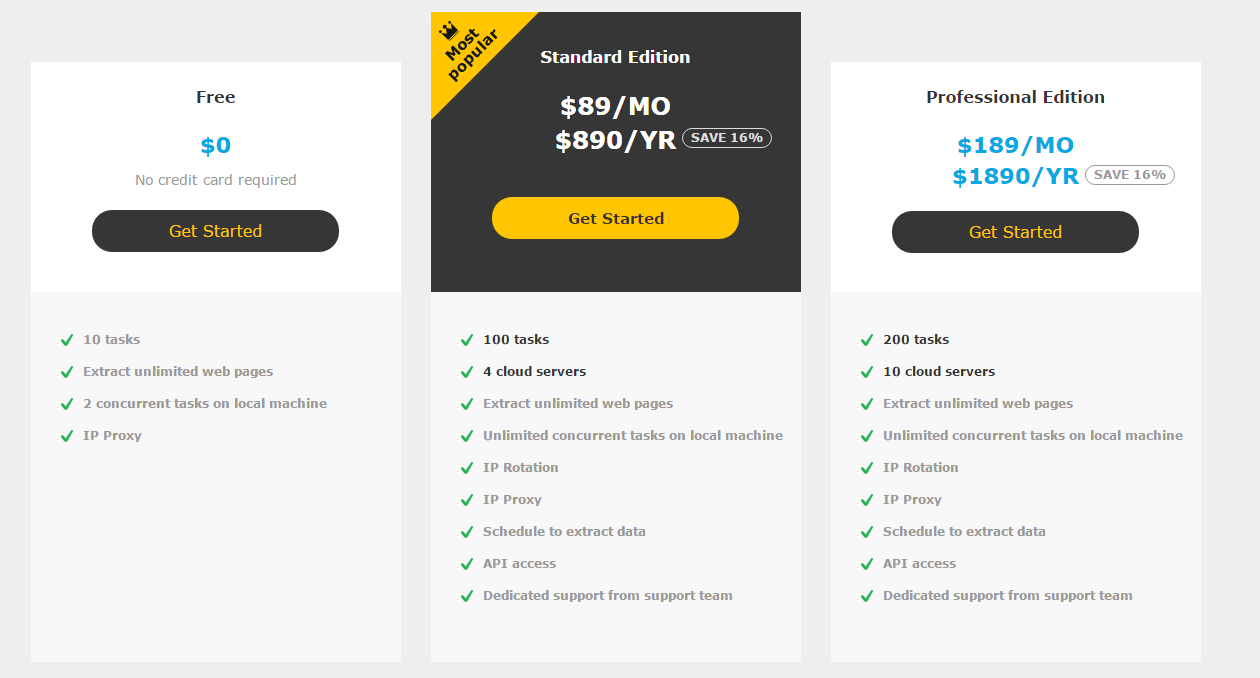
Octoparse is available in three editions to suit different needs: Free, Standard, and Professional. The Free edition is one of the best free web scraping tools in the market, while the paid editions provide a cloud platform with multiple servers to speed up data extraction.
Octoparse offers three editions to meet your data extraction needs, including Free, Standard and Professional. It is one of the best free web scraping tools available in the market. Two paid editions provide a cloud platform with multiple cloud servers for web scraping.
( For detailed features, check out here)
Distinct Features of Octoparse
1. Visual Workflow Designer
Octoparse comes with a user-friendly Visual Workflow Designer, making bulk data extraction simple and fast. Users can set extraction rules specifying which web pages to crawl and which data fields to collect.
2. No Coding Needed
Octoparse requires no coding. Simply follow step-by-step tutorials to configure extraction rules. Even complex websites can be scraped without writing a single line of code.
3. Smart Mode
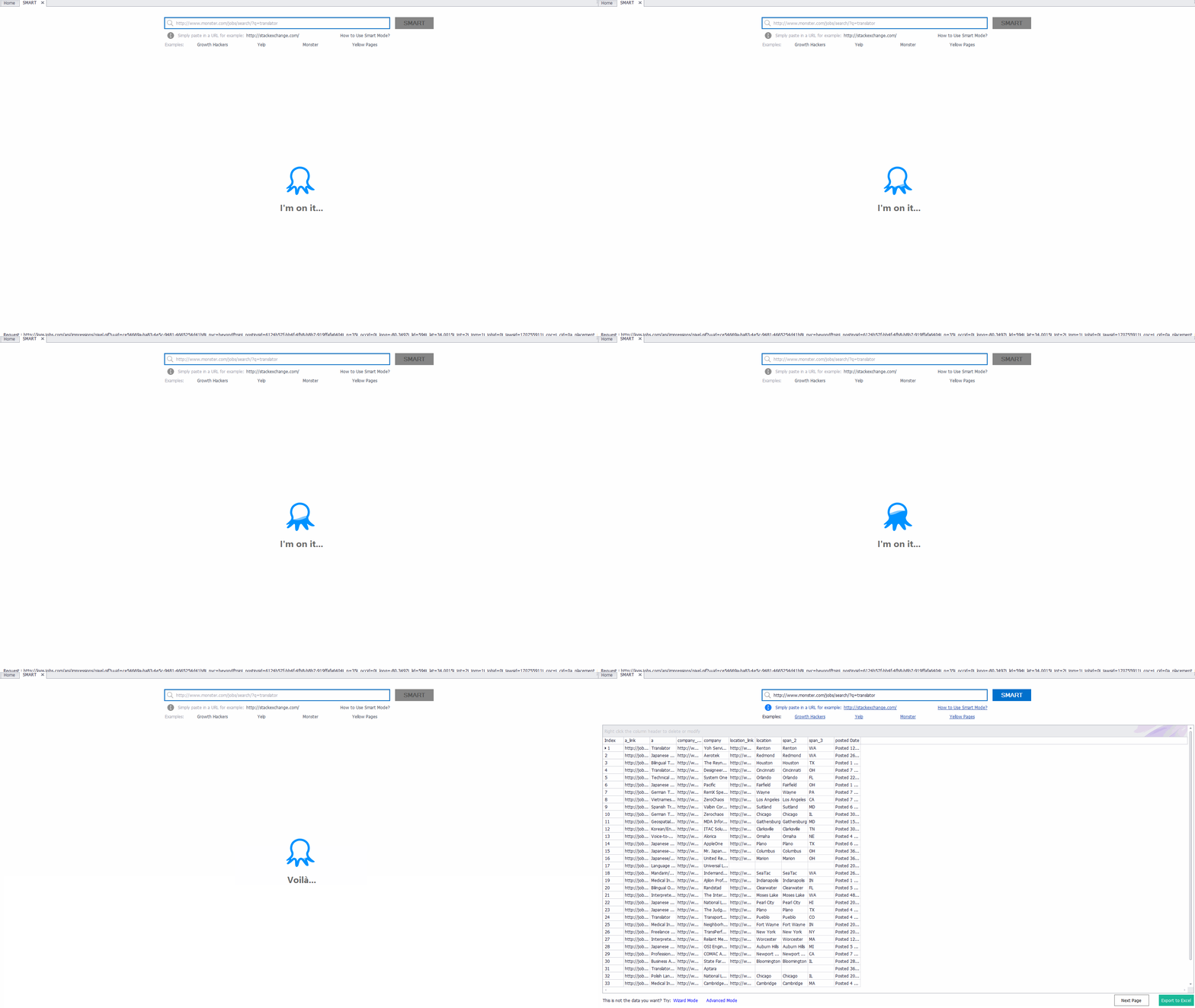
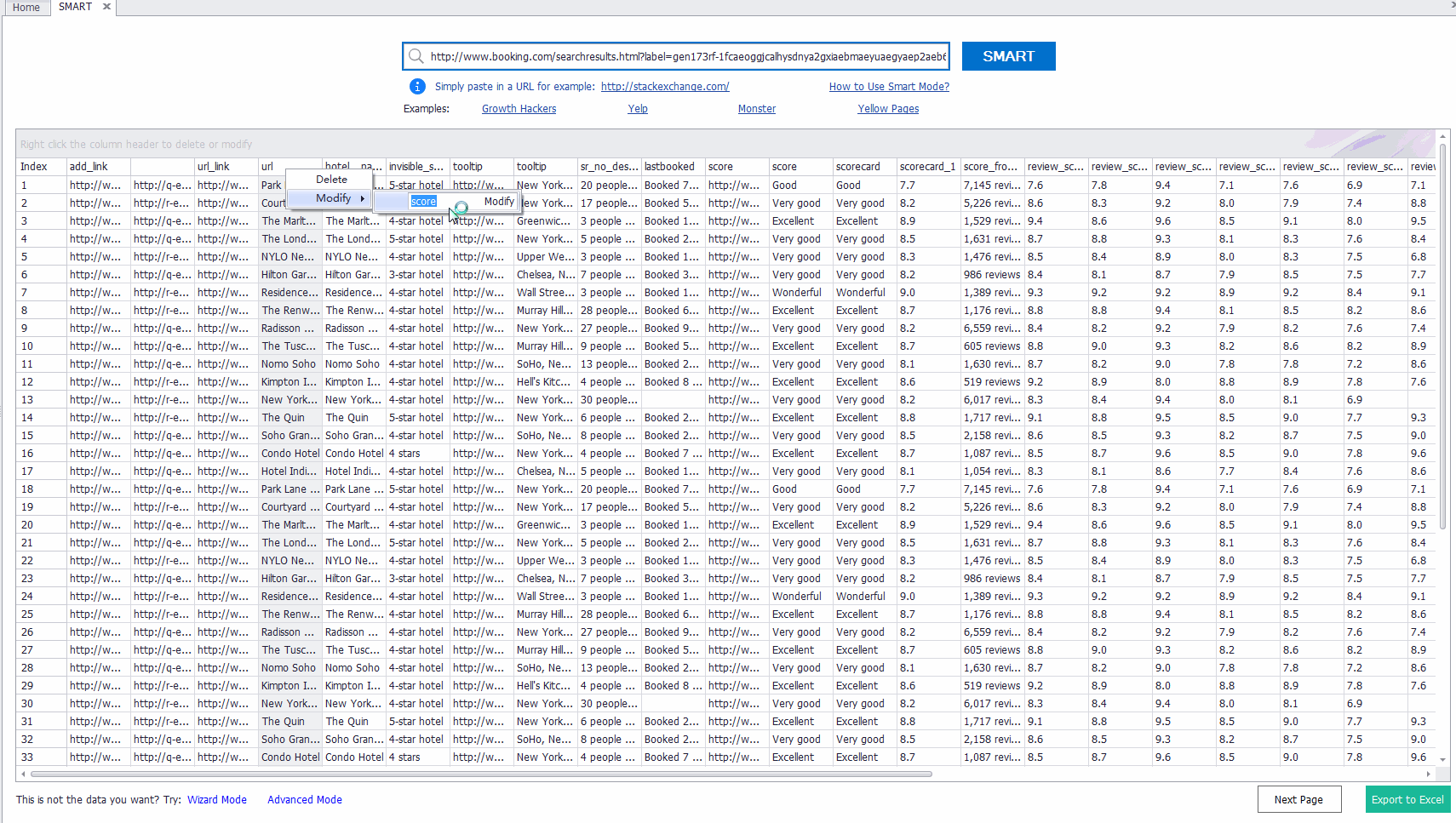
Smart Mode allows users to turn web pages into Excel with one click. Just enter the target URL and click “SMART.” The software automatically creates extraction rules, lowering the barrier for beginners. This works perfectly on list or table pages such as category pages and search results, usually taking less than a minute per page.
4. Cloud Extraction
Cloud Extraction enables tasks to run on Octoparse’s cloud platform. It speeds up data extraction 4 to 10 times compared to local extraction. For example, with four cloud servers running one task continuously, millions of pages can be scraped in a single week.
5. Handling Complex Websites
Octoparse handles dynamic websites built with JavaScript, AJAX, and hard-to-crawl ASP pages. You can:
-
- Scrape data behind login pages
- Scrape sites with infinite scroll, like Twitter or Facebook
- Scrape paginated websites
6. XPath Tool and RegEx Tool
These tools make precise data extraction easier. Users can define XPath or regular expressions to locate and extract exact data from web pages.
7. Incremental Extraction
This feature allows the extraction of updated data automatically. Only new pages or URLs are captured, eliminating the need to create new rules.
8. Ad Blocking
Ads, banners, and pop-ups can slow down scraping. Octoparse’s Ad Blocking feature optimizes page loading time and reduces web requests, boosting extraction speed.

9. API Access
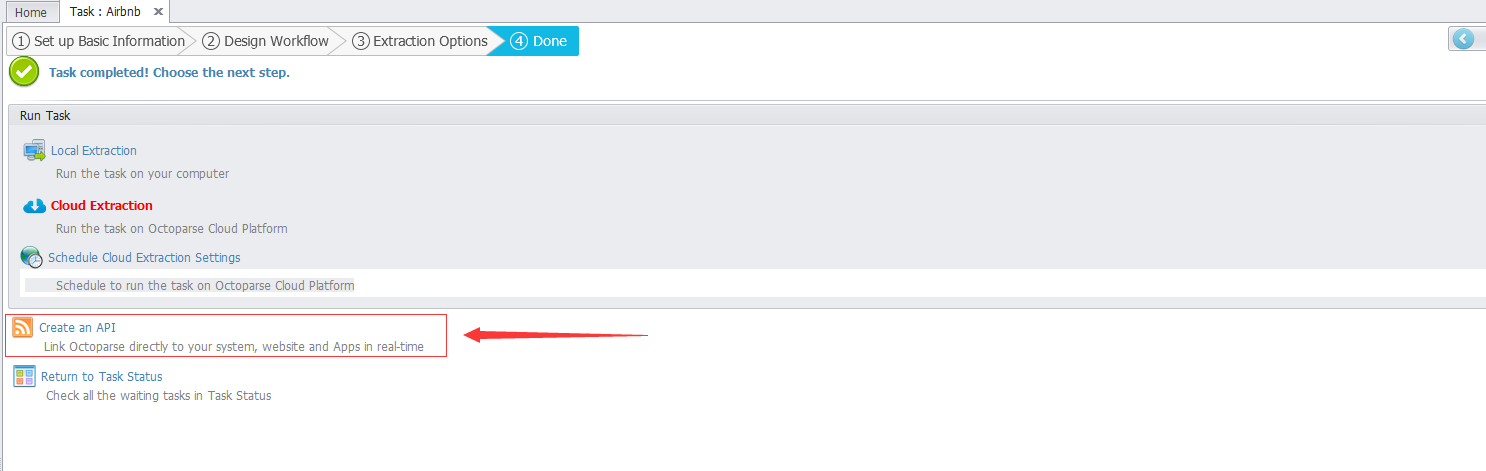
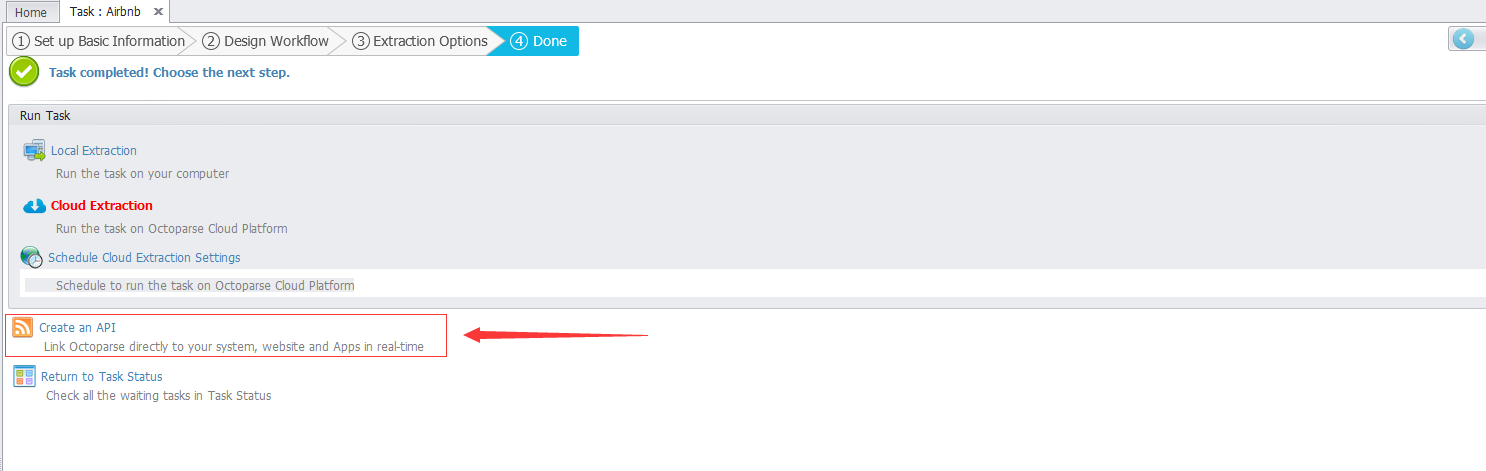
Octoparse provides APIs to access scraped data in real-time. Users can create an API using the task ID of an extraction task for seamless integration.
10. Schedule Data Extraction
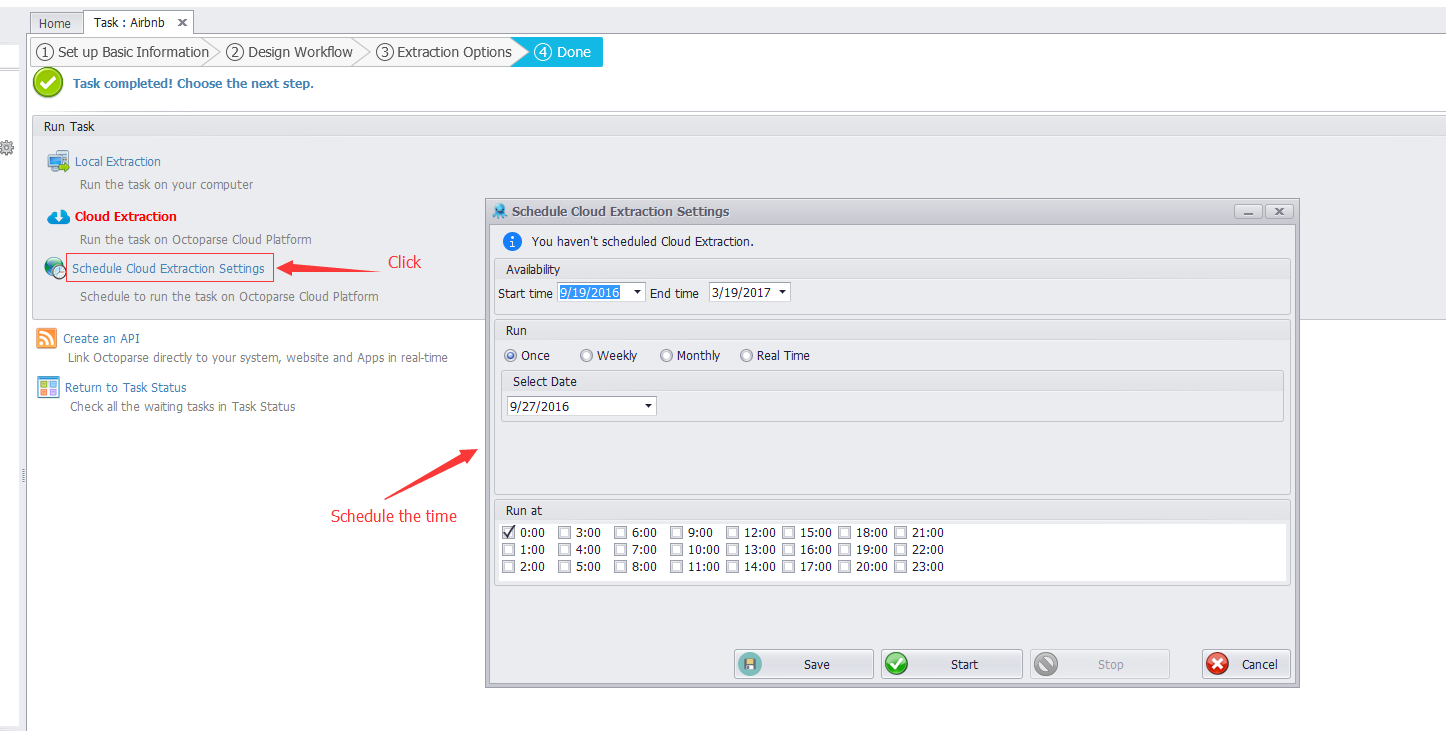
You can set extraction tasks to run at specific times. Once scheduled, the program automatically runs tasks without manual intervention.
11. Various Export Options
Export data in multiple formats like CSV, Excel, HTML, or TXT. You can also export directly to databases such as MySQL, SQL Server, or Oracle.
12. Proxies & IP Rotation
Octoparse rotates anonymous proxy servers to prevent IP blacklisting. The cloud platform has built-in proxies, or users can manually add and configure external proxies.
13. Support
Octoparse offers rich tutorials for both beginners and advanced users. Technical support is available via Skype, Facebook Messenger, and email.
Pros and Cons
Pros:
- Intuitive point-and-click interface
- Powerful automated web scraping features
- Handles complex and dynamic websites
- Multiple export formats and database support
- Cloud platform speeds up extraction
Cons:
- Cannot handle CAPTCHA challenges
- Smart Mode struggles with websites requiring login
- Limited logging and error-handling features
Conclusion
Octoparse is a feature-rich, visual automated web scraping tool that can help users extract public web data quickly and efficiently. Its combination of ease-of-use, advanced features, and flexible export options makes it a strong choice for businesses and individuals looking to capture data from any website.
