Content Grabber is a very easy-to-use web scraping software; At the same time, it remains flexible and powerful. One of its biggest strengths is custom scripting, which gives developers advanced control over web scraping agents and the data extraction process.
In addition, Content Grabber provides scripting in different ways to customize its behavior based on specific needs or to extend standard functionality. These scripts are written as .NET functions using C#, VB.NET, or regular expressions.
Custom Scripting Support in Popular Web Scraping Tools
Custom scripting provides more power to control the web scraping workflow. As a result, scraping software that supports scripting becomes significantly more powerful. However, not all web scraping tools offer this capability.
For this reason, the table below compares several popular web scraping tools and highlights the extent of scripting support they provide.
| Scripting Level | Language Supported | Text Processing | Command Script | Extension Scripts | |
| Content Grabber | High | C# / VB.NET | Yes | Yes | Yes |
| Visual Web Ripper | Moderate | C# / VB.NET | Yes | Yes | Yes |
| Fminer | Moderate | Python | Yes | No | No |
| Web Content Extractor | Low | VB.NET | Yes | No | No |
| WebHarvy | Low | – | Yes, with the Capture Text option | No | No |
Content Grabber Script Engine
The Content Grabber Script Engine supports C#, VB.NET, and regular expressions. However, regular expressions can only be used for content transformation. In contrast, C# and VB.NET allow developers to write more complex scripts that execute at runtime.
Based on functionality, Content Grabber scripts can be divided into three main categories:
- Content transformation scripts
- Command scripts (Custom Scripts)
- Extension scripts
Content transformation scripts:
Content transformation scripts are used to modify content after it has been scraped from a web page. For example, some websites prefix telephone numbers with text such as “Tel:000000000”. In such cases, regular expressions can be used to extract only the required number.
The example below demonstrates how a content transformation script downloads the HTML of a page and saves it to a local hard drive. This approach is useful when some data is missed during scraping. Instead of making another request to the website, the downloaded HTML files can be reused and parsed again.
using System;
using System.IO;
using Sequentum.ContentGrabber.Api;
public class Script
{
 //See help for a definition of ContentTransformationArguments.
 public static string TransformContent(ContentTransformationArguments args)
 {
  //Place your transformation code here.
  //This example just returns the input data

  String fname = args.DataRow.RowId.ToString();
  DownloadHTML(args.Content,fname);
  return fname;
 }

 public static void DownloadHTML(String html,String file_name)
 {
  System.IO.File.WriteAllText("E:\\html\\"+file_name+".html",html,System.Text.Encoding.UTF8);
 }

}
Command scripts (Custom Script)
Command scripts are used to change command properties at runtime. Typically, they are applied to control or modify the execution flow of a scraping agent.
The following example shows how a command script dynamically changes the XPath of an element during execution.
using System;
using Sequentum.ContentGrabber.Api;
using Sequentum.ContentGrabber.Commands;
public class Script
{
	//See help for a definition of CustomScriptArguments.
	publistatic bool TransformCommand(CommandTransfomationScriptArguments args)
	{
		//Modify args.Command here.

		ISelection selection = args.Command as ISelection;
		selection.Selection.SelectionPaths[0].Xpath ="//a[contains(@href,'javascript:')][text()='"+int.Parse(args.DataRow.GetDataValue("ID"))+1+"']";

		return true;
	}
}
Extension scripts
Extension scripts are used to extend the functionality of Content Grabber beyond its default features. In practice, these scripts help solve use cases that standard commands cannot handle.
Examples:
-
Data Export script:
Used to export extracted data to formats not supported by Content Grabber.
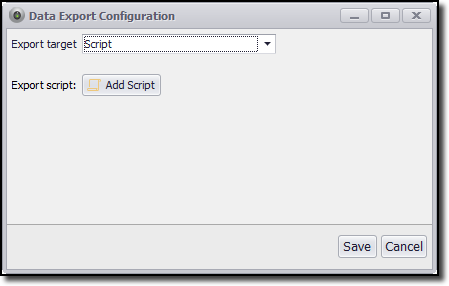
A script can be developed to export extracted data to a format that Content Grabber does not support.
-
Agent Initialization Scripts
Execute code before an agent starts, such as setting properties or initializing database connections.
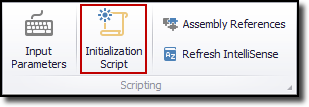
If you want to execute some line of code before starting an agent, an agent initialization script is the option. Agent Initialization Scripts are generally used to set certain properties and initialize data like a database connection string.
-
Data Input Scripts
Data Input Scripts are used to produce data for a data provider command. For example, you can generate a list of URLs having a certain pattern, like a page URL ending with a sequential page number.
-
Data Distribution Scripts
By default, Content Grabber provides data distribution to FTP or email. If you want to distribute (store) data to a cloud, then the Data Distribution script is the best option.
-
Image OCR Scripts
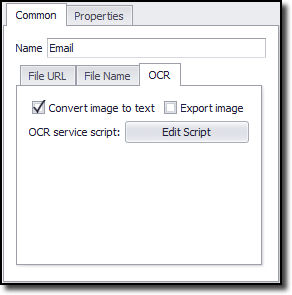
Image OCR scripts are used to transform an image into text. Some websites display emails and phone numbers as images as a way of blocking web scraping. At that point of tim,e this option can be very useful.
- Convert Document to HTML Scripts
Sometimes there may be a need for extracting data from non-HTML documents like .DOC or .PDF documents. To extract data from these non-HTML documents, we can first convert them into an HTML document by using this script. After converting it into HTML, we can easily extract data from it.

Comments are closed.