Content Grabber – a web scraping software developed by Sequentum is the most advanced web scraping software in the market, and it just keeps getting better.
I am excited to highlight several enhancements to Content Grabber features in the Version 2: Chrome based Web browser, Edge Selections, Data Retention options, Change Tracking, Export to single database table, Export script templates, Export settings, File downloads, Screenshots, Retry errors, Simplified Action Configurations, Multiple command selections, Group commands, Improved XPath editor, New self-contained agents.
These features better enable web scrapers to extract data from websites efficiently and effectively.
Here is what’s new in Content Grabber v2 in more detail:
Chrome-Based Web Browser for Enhanced Scraping
Chrome-based Web Browser:
Content Grabber V2 now comes with an embedded Google Chrome-based web browser. Unlike Version 1, which relied on Microsoft Internet Explorer, the new version is fully self-contained. This means you don’t need any browser installed on your computer, and agent behavior no longer depends on browser configurations.
Google Chrome continues to dominate the browser market with a 48.65% share (as of June, according to Net Market Share). By using Chrome, Content Grabber V2 ensures more reliable and modern web scraping capabilities.
Edge Selections:
Selecting web elements has become more convenient with the new Edge Selection feature. Users can click the edge of an element to select its parent. This is particularly useful for complex elements like table rows that cannot be directly selected because they are covered by cells.
Advanced Agent Features in Content Grabber V2
Data retention:
Content Grabber V2 introduces advanced data retention settings. Users can remove, export, or retain old data while tracking duplicates effectively.
This ensures you maintain clean, accurate datasets and can monitor historical data changes without losing valuable information.
Change tracking:
Tracking changes on websites is critical for data monitoring. Content Grabber V2 agents can now mark data as added, modified, deleted, or returned in a modified state.
This is perfect for monitoring e-commerce deals, job postings, or competitor updates on sites without RSS feeds. Agents can also export only changed data for efficient reporting.
Success criteria:
Version 2 allows users to define success criteria for agents. These rules determine whether an agent completes its task.
This feature helps businesses track automated scraping performance and set up notifications for updates or errors.
Export from Multiple Agents:
Content Grabber V2 supports exporting data from multiple agents into a single database table.
This makes it easy to aggregate data from multiple sources and centralize it for analysis, improving workflow efficiency for large-scale web scraping projects.
Export script templates:
Export script templates now provide pre-written C# and VB code for faster agent development.
Export settings are simplified, ensuring predictable data formats and easier container management. These improvements make data extraction smoother and reduce setup time.
Export Settings:
Export Settings have been simplified. Data exported from a container can now be separated by setting a single option on the container. Exported data from list containers is now never separated by default, which should make the export data format more predictable.
Improved File Downloads and Screenshots
File downloads are more reliable with the new “Click to Download” feature.
Agents running in service mode can now take screenshots, helping with monitoring and debugging while ensuring data is captured accurately.
Retry errors:
Content Grabber V2 allows retrying errors even if the agent has been updated since the extraction started.
This flexibility reduces failed runs and ensures reliable data extraction, even when website structures or agent scripts change.
User Interface
Multiple Command Selections and Group Commands
Users can now select multiple commands to delete, copy, move, or group them in Agent Explorer.
Group commands help maintain organized agents, making navigation and management easier for complex scraping workflows.
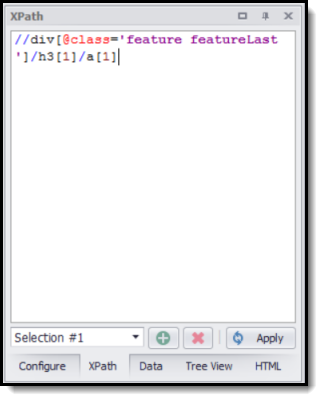
Improved XPath editor:
The improved XPath editor now has color highlighting and is accessible in a docking window.
With a point-and-click interface, users can automatically generate XPath for elements, making data extraction faster and more precise.
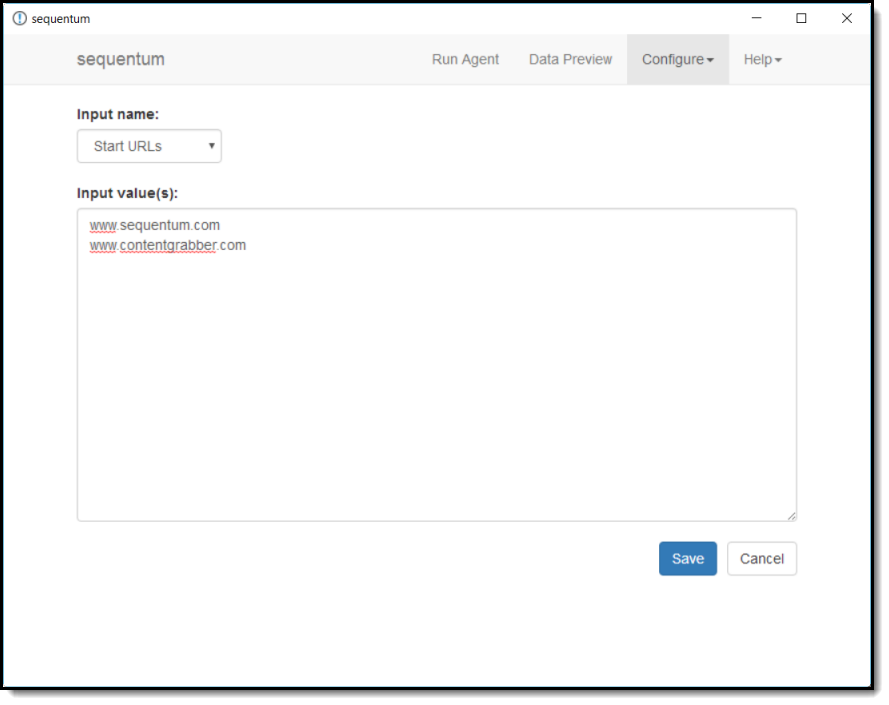
Self-Contained Agents Interface
In Content Grabber 2, the self-contained agent’s user interface has been redesigned. The user interface is now completely based on HTML and CSS. A user can customize an agent’s look and feel with a Premium Edition Content Grabber license.
API
Content Grabber V2 API now supports pagination for large datasets.
Pagination divides data into smaller, manageable sets, reducing server load and improving retrieval speed, which is critical for large-scale web scraping operations.
Conclusion
Content Grabber V2 is a major upgrade in the world of web scraping software. With a Chrome-based browser, advanced agent features, improved user interface, and robust export and API options, it empowers users to extract data efficiently and accurately. Whether you are monitoring competitor websites, tracking deals, or aggregating large datasets, Content Grabber V2 provides the tools you need for reliable and scalable web scraping.
Its enhanced agents, flexible export settings, and intuitive interface make managing complex scraping workflows easier than ever. By leveraging these new features, businesses and data professionals can save time, reduce errors, and gain deeper insights from web data.
Ready to take your web scraping to the next level? Try ScrapeInsight today and automate your data extraction tasks with faster, smarter, and more reliable results.
